
Ask for a change. See it first. Undo it in one click.
An AI assistant in your WP dashboard that makes the change itself, not only tells you how.
- Nothing changes without your OK
- Undo in one click, or a warning first
- No account, no password to share

Version 0.2.0.202610081338, 633 KB, built Oct 8, 2026
Needs WP 6.3 to 7.1, PHP 8.0 or newer, and an administrator login. One site per install.
The download is a plugin. Turning it on connects your site to cmshands.com and adds 3 small rescue files. Deleting the plugin removes them and everything it stored. What we send
One change, start to finish

You ask
You type what you want in the chat, in your own words. It sits in your WP dashboard, under CMSHands.
Change our footer to say “© 2026 Quillmoor Pottery. Handmade in small batches.”

You see it first
It reads your footer and comes back with a card: the footer as it would look with the new line. Nothing has changed on the site yet.
It looks right — same size and colour as before, and it wraps cleanly on a phone. Ready for you to review.
- 2 secondsLooking at your themes
- 3 secondsReading your footer
- 5 secondsPreparing the change for your OK
- 6 secondsPreviewing your footer

The exact line it changes
Press Code to see the line itself: the old one in red, the new one in green. Every other line of the footer stays as it was.

You press the button
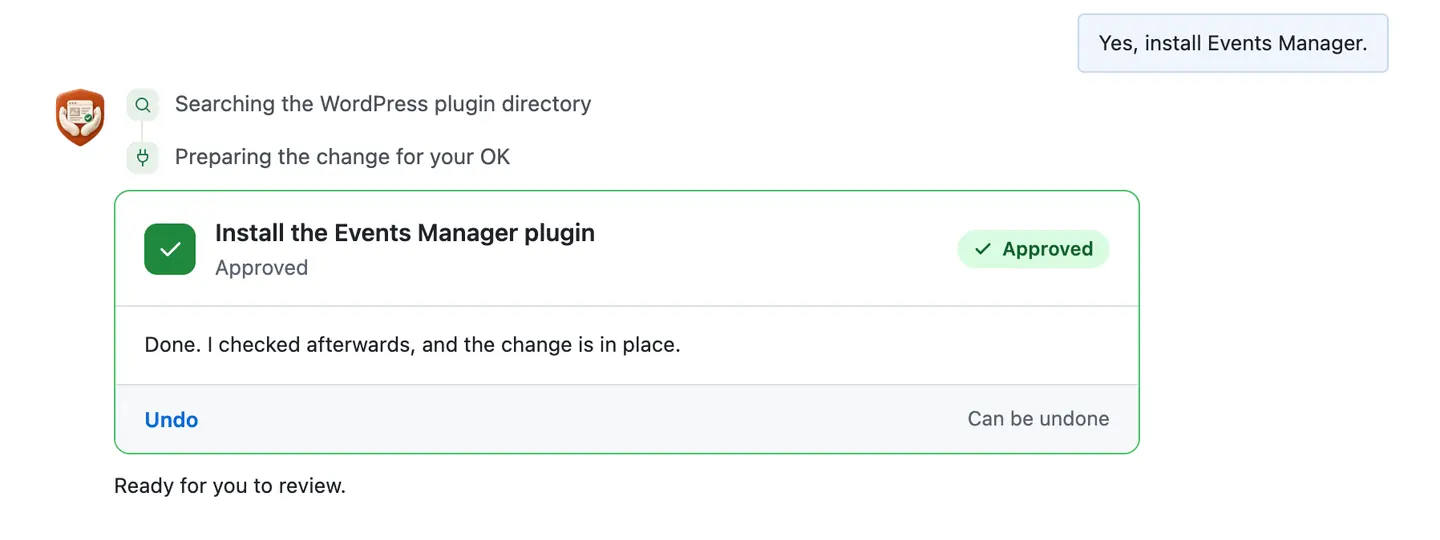
Only now does it change the site. It saves the footer, reads it back to check, and the card turns green with an Undo link.
- 33 secondsChanging your footer
- Checking the change

It's on the site
The test site's footer right after, seen by a visitor. The new line sits in the same spot, size and color as the old one.
Done. I checked afterwards, and it now says "© 2026 Quillmoor Pottery. Handmade in small batches.".

Undo, if you want
One press of Undo put the old line back. It checked the footer again and showed what it put back.
Undone. I checked afterwards, and it's back the way it was.
- 41 secondsReverting the change
- Checking the change
A real run on our test site, Quillmoor Pottery (WP 7.1.3, Twenty Twenty-Four), Oct 11, 2026. From asking to done, it took 33 seconds.
That's the whole job. The plugin is free: 3 changes to try it, no account. Nothing changes until you press the button.
Needs WP 6.3 to 7.1, PHP 8.0 or newer, and an administrator login. One site per install.
The download is a plugin. Turning it on connects your site to cmshands.com and adds 3 small rescue files. Deleting the plugin removes them and everything it stored. What we send
More real runs on our test site
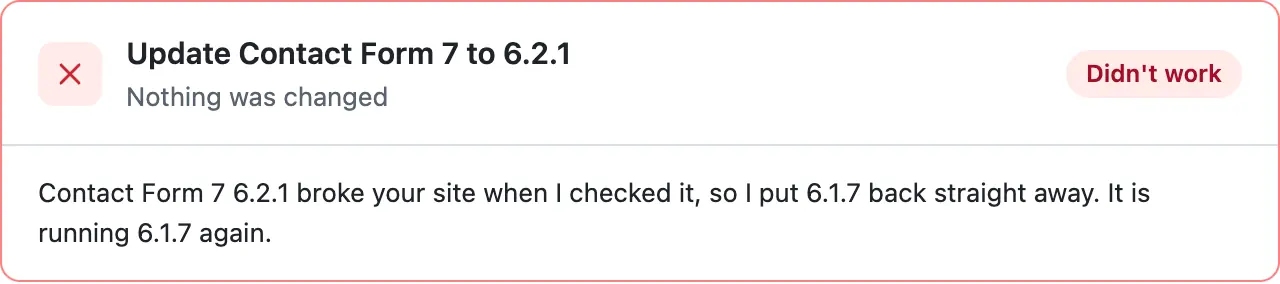
When an update breaks the site
Update Contact Form 7 and check my site after.
Tap the picture to see it full size.
We broke this update on purpose. It found the error and put the old version back on its own. It took 55 seconds.
See the whole runNew opening days on every page
We moved to Tue–Sat. Change “Mon–Fri” everywhere it appears.
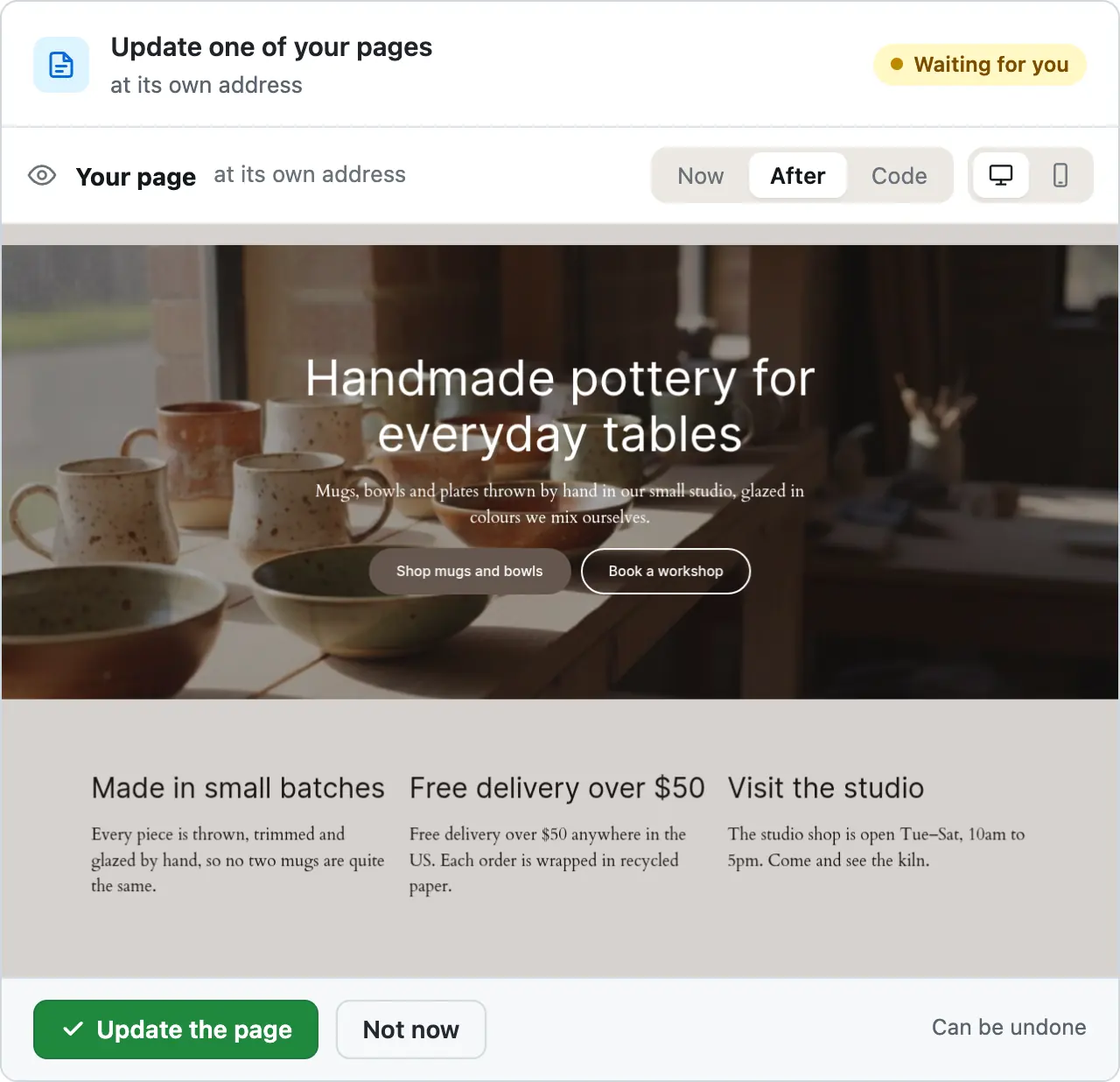
It found 3 places and made one card for each. It took 1 minute 9 seconds.
See the whole runA contact form that matches the site
Make my contact form match the rest of the site.
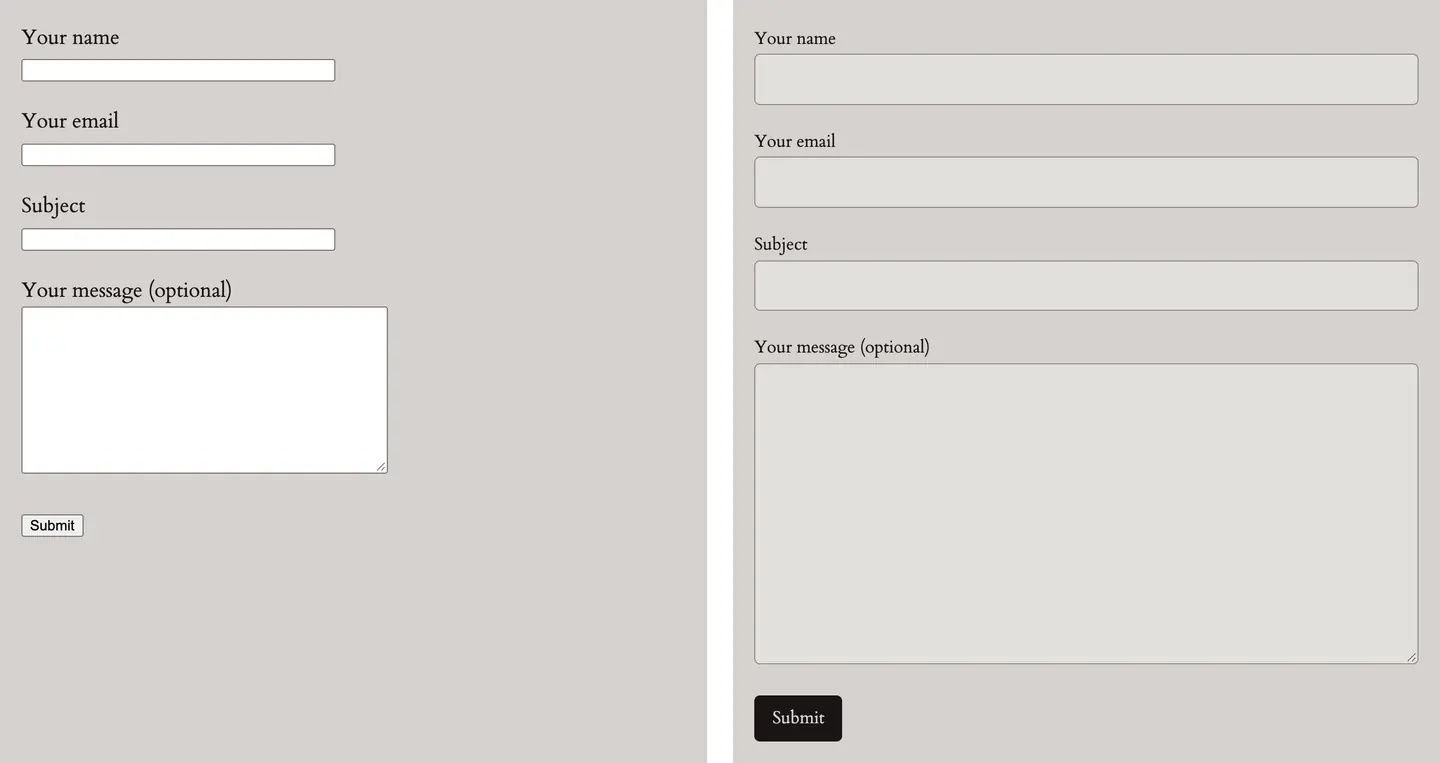
Before on top, after below.Before on the left, after on the right. It took 50 seconds.
See the whole runA quick health report
Give me a quick health report.
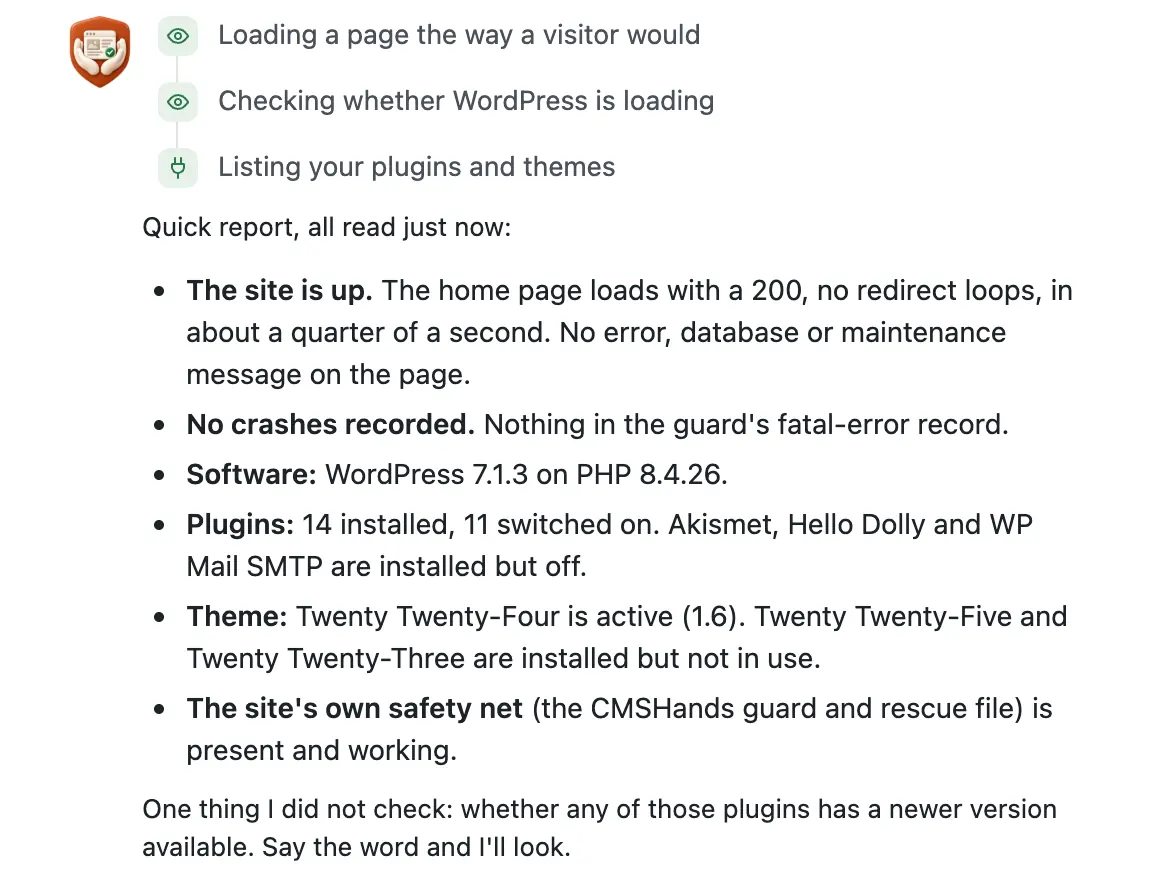
Questions change nothing on your site. It took 8 seconds.
See the whole run
Ask for your own change, in your own words. The plugin is free: 3 changes to try it, no account.
Everything you can ask forWhat you can ask today
Type it the way you'd say it. A few things owners ask:
Words and pages
- Fix the typo on our About page
- Change the opening hours on the Contact page
Pages made in the WP editor, not page-builder pages.
All page tasksStyling and forms
- Make the contact form match the rest of the site
- Make the first paragraph on About bigger
Block themes only.
All styling tasksPlugins
- Find a good booking calendar plugin and install it
- Remove the plugins I don't use
Plugins from the WP plugin directory.
All plugin tasksUpdates and going back
- Update Contact Form 7 safely
- Go back to the version of that plugin that worked
Directory plugins. The old version comes back if the site gets worse.
All update tasksHealth and checkups
- Give me a quick health report
- Who can log in as an administrator?
Questions change nothing on your site.
All checkupsStore questions
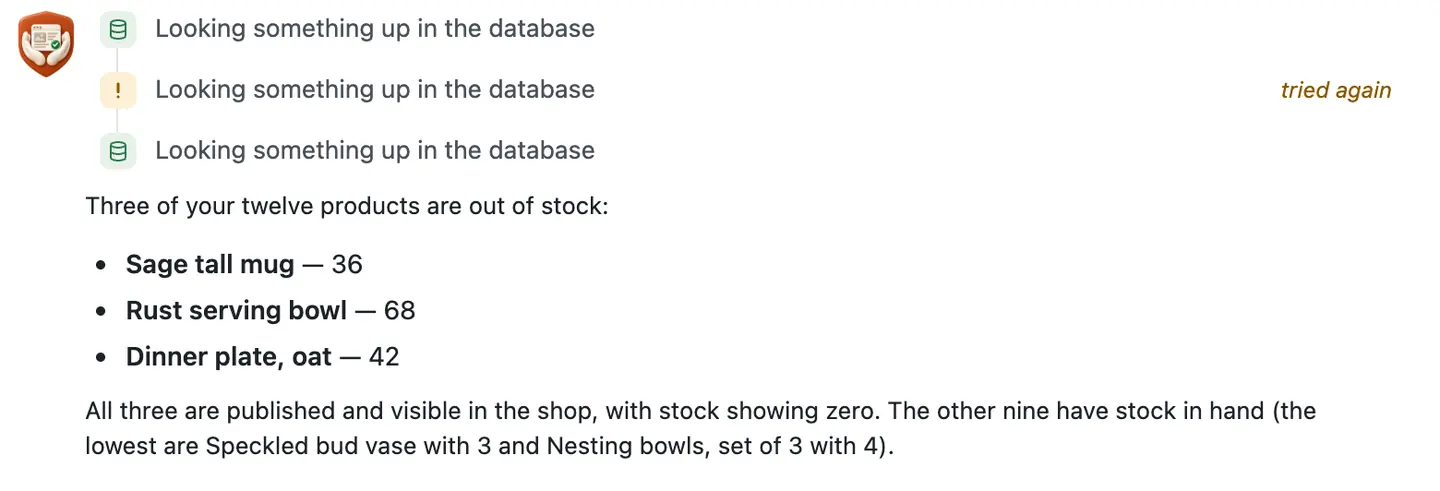
- Which products are out of stock?
- Update my shop plugin and check the store after
For online stores on WP.
All store tasksWatching your site
- What happens if my site breaks?
- Which of my plugins are out of date?
A check once a day on the free plan. A person approves every repair.
How watching worksStore imports
- Add the products in this spreadsheet to my shop
- Update my prices from the supplier's new list
With the paid plan, not open yet. Simple products, no images yet.
About imports
Why it won't wreck your site
Nothing changes until you press the button.
Every change comes as a card. You read it, then press the button or Not now.

You see it first.
Old words in red, new words in green. For layout, before-and-after pictures on a computer and a phone.

One click undoes it.
When something can't be undone, like deleting a page, the card says so before you press.

It won't overwrite your edits.
It reads your site again before it changes or undoes anything. If you edited the same thing, it stops and tells you.
Updates put themselves back.
After a plugin update it checks your site. If the site got worse, the old version goes back on its own.

If your site breaks
We check it every day.
Once a day on the free plan. If the rescue files (3 small files the plugin adds so we can reach your site even when WP can't start) report a crash, we check at once.
A person approves every repair.
We find what broke and prepare a fix. A person at CMSHands checks it before it runs.
You get a plain-English email.
What broke, what we did, and what to do next. Add your email to get it.
Only if CMSHands was there first.
It can't be installed into a site that won't load. Install it while your site works. Tried on our test sites; hosts differ.
Nothing costs money until you choose it; we'll say what a repair costs before it's done.

What it won't do yet
- Edit pages built with a page builder like Elementor, Divi or Beaver Builder
- Change the header, footer or styling on older (classic) themes
- Upload pictures, logos or product photos
- Make backups
- Clean up malware or a hacked site
- Speed up your site (it can tell you why it's slow)
- Update WP itself, or install, update or switch themes
- Update premium plugins that don't come from the WP plugin directory
- Work on multisite networks, or in languages other than English
- Add users or reset passwords
Free to start
| No account | With your email | Paid plan | |
|---|---|---|---|
| Changes | 3 to try it | 10 every month | Coming. Nothing costs money until you choose it. |
| Questions | 30 a day | 100 a day | |
| If it breaks | Daily check and crash rescue | The same, plus email alerts |
Undo a change within 24 hours and it doesn't count. If you haven't added an email after 30 days, only crash rescue stays on until you add one. A change is one card you approve. A job that touches several pages or plugins is several changes.
Questions
Will it break my site?
It can't change anything until you press the button, and you see the change first. Most changes undo in one click; when one can't, the card says so before you press.
Do I have to give you my password?
No. It works inside your dashboard with your own login. Your site stores only our public key, which lets it check that a request really comes from us.
Does it work with my theme?
Words on pages and plugin tasks don't depend on your theme. Header and footer changes need a block theme: if your dashboard has Appearance › Editor, you have one; on an older theme it can't change them yet. Styling: on an older theme it writes the CSS for you to paste.
What does it cost?
Nothing to start: 3 changes with no account, then 10 a month once you add your email. Questions are free, up to 30 a day (100 with an email). A paid plan with more is coming; nothing costs money until you choose it.
Who can read my chats?
A person at CMSHands can read the conversation. Our privacy page lists what the plugin sends us and what we never take.
Why isn't it in the WP plugin directory?
CMSHands updates itself from our site, and the directory's rules don't allow that. So you download it here; this page shows the file's version, size and fingerprint (sha256) so you can check it's the real file.
Why not ask a general AI chat?
It can tell you the steps; you still do them in your dashboard. CMSHands does them there, shows you the change first, and can undo it.
What if I want to remove it?
Press Disconnect in its settings, or delete the plugin. The rescue files and everything it stored go with it.
Try it on your own site
1. Download the plugin.
It's free. No account, no card.
Version 0.2.0.202610081338, 633 KB, built Oct 8, 2026
Needs WP 6.3 to 7.1, PHP 8.0 or newer, and an administrator login. One site per install.
The download is a plugin. Turning it on connects your site to cmshands.com and adds 3 small rescue files. Deleting the plugin removes them and everything it stored. What we send
Check the file
sha256 38c21af5aa798482f41a9d8f5b35fd01b750183903330621f9666ef558c29484
2. Upload and activate it.
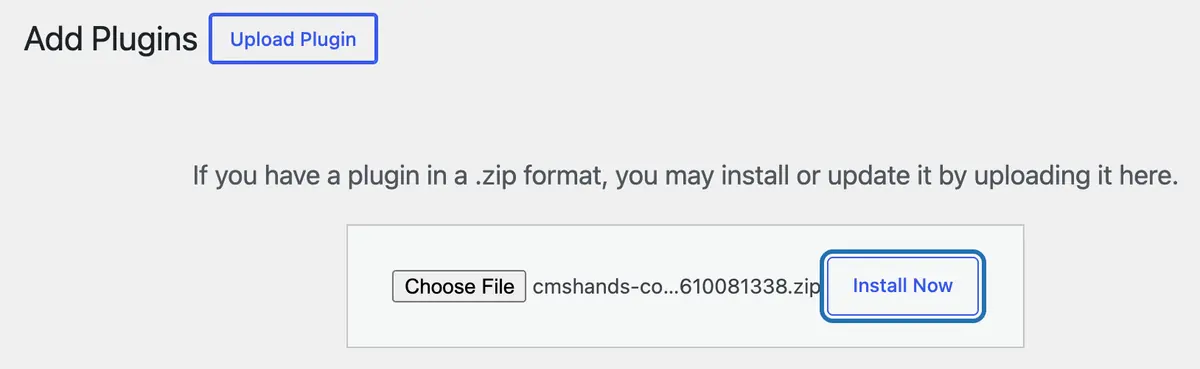
In your dashboard: Plugins › Add Plugin › Upload Plugin (Add New Plugin on older WP). Choose the file, press Install Now, then Activate Plugin.
3. Press Turn on.
Press Turn on CMSHands. No account, no key, no password.


